It's easy!
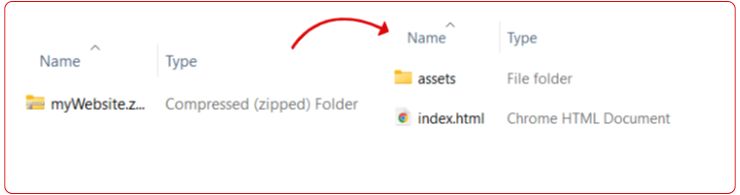
1. Create a ZIP folder with your website (max 100MB).
2. Make sure your index.html or index.php is placed directly inside the ZIP - not inside another folder.
3. If your index file has a different name, ensure your .htaccess declares the correct file and path.
4. Upload the ZIP and let the magic happen!
We'll unzip your file and give you a link to your website hosted in our Singapore-based datacenter.
Test the speed using your browser or any online tool! Once you see the results, share the amazing news and confidently go ahead with the hosting plan.
Please note: Uploaded websites will be deleted shortly. Test and confirm speeds immediately after uploading.